Survive 7 Days On A Island Codes
Honest status for November 2026 — no active codes confirmed, plus redemption tips when they arrive.
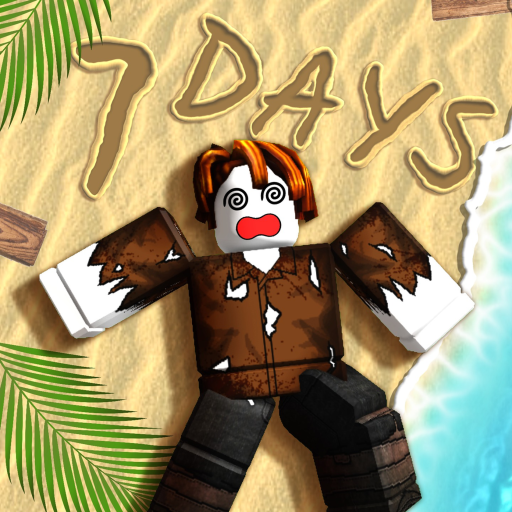
Looking for Survive 7 Days On A Island codes? This hub gives you a straight answer first, then the habits that matter when The The Studios eventually drops a promo string.
Current status (November 2026)
There are no confirmed active promo codes for Survive 7 Days On A Island right now. The experience is still early and being worked on, and the developer has not published a verified Codes UI reward list that we can safely recommend.
If another site claims dozens of working strings with free coins, exclusive tools, or instant day skips, treat that as noise until you can redeem the same string yourself in-game. Fake code farms recycle expired or invented keywords from unrelated Roblox titles.
Bookmark this page and cross-check the Updates Hub after major patches — codes often appear alongside content drops, not as a permanent always-on feature.
How Roblox codes usually work
Most Roblox survival and adventure games follow a familiar pattern:
- A Codes, Redeem, or gift icon appears in the HUD or pause menu once the system is ready.
- You type a case-sensitive string and press redeem.
- Rewards land in inventory, a mail box, or as a temporary buff.
- Strings expire after an event, milestone, or silent cut-off.
Survive 7 Days On A Island may add that button later. Until then, grinding fish, fire uptime, and shelter still carries the early loop — see Getting Started for day-one priorities.
Where a Codes button might show later
When a Codes system arrives, players typically find it in one of these places:
- Top or side of the HUD near shop or settings icons
- A tablet / radio / camp board prop near the starter beach
- The main menu before you load into a server
- A group reward panel tied to The The Studios membership
If you join a fresh server and cannot find a redeem field, assume codes are still offline rather than guessing random words like FISH100 or WOLF7. Invented strings waste time and feed misinformation.
How we will list codes here
When verified codes exist, this hub will use a clear table style:
- Code — exact string to type
- Reward — what you should receive
- Status — Active / Expired / Limited
- Notes — case sensitivity, one-account limits, or event windows
We will never pad the page with placeholder codes just to look “updated.” Empty and honest beats a wall of dead strings.
Safety checklist against fake code sites
- Prefer the official Roblox game page and The The Studios group posts over random blogs.
- Never enter your password, Roblox cookie, or “account verify” link on a codes page.
- Browser extensions that promise “auto redeem all codes” are a common phishing vector.
- If a reward requires installing an executor or pasting a script, that is not a promo code — read the Scripts Hub safety notes instead.
- Cross-check dates. A “working codes 2024” scrap page has nothing useful for this early 2026 experience.
What to do while you wait for codes
Promo gifts are nice, but they will not replace the core loop. Use the downtime to practice systems that actually keep you alive past day seven:
- Keep a cooked fish buffer before night storms — covered in Survival Priorities.
- Stabilize fire and shelter before long exploration runs.
- Track badge progress on the Badges page so Fisher, Builder, and Hunter goals stay intentional.
- Watch Patch Notes for quality-of-life changes that may include a Codes UI later.
Related wiki paths
- Getting Started — first-session checklist without waiting on freebies
- Updates Hub — where code announcements usually land first
- Scripts Hub — why “free code generators” that need injectors are not codes
- Official Links — Roblox place URL and studio group pointers
- Tier List Hub — spend playtime on S-tier survival priorities, not rumor hunting
Quick redeem checklist (for when codes go live)
- Confirm the string on this wiki or an official studio post the same day.
- Join Survive 7 Days On A Island on a normal Roblox client.
- Open the in-game Codes / Redeem panel if it exists.
- Paste carefully; watch capitalization and trailing spaces.
- Restart the experience once if the reward UI lags.
- Mark the code Expired here if redeem fails for multiple accounts after a patch.
Until that UI exists, the honest answer remains: no active codes. Check back after content updates, and put your energy into fire, food, and shelter instead of chasing invented keywords.
Frequently Asked Questions
Quick answers for island survival, codes, and badges.
Are there any working Survive 7 Days On A Island codes right now?
No. As of November 2026 there are no confirmed active promo codes for this experience. We will list verified strings here when The The Studios publishes them.
Where will I redeem codes when they exist?
Most Roblox games add a Codes or Redeem button in the HUD, pause menu, or a camp prop. Until that UI appears in Survive 7 Days On A Island, there is nowhere legitimate to redeem strings.
Why do other websites show long code lists?
Many aggregator pages invent, recycle, or copy expired codes from unrelated games to farm clicks. Prefer official posts and this hub over unverified lists.
Can scripts or “code generators” unlock rewards?
No legitimate promo code requires an executor. Anything that asks you to inject a script is not a code — see the Scripts Hub for account-risk warnings.
How often should I recheck this page?
After major patches or studio announcements. Pair this hub with the Updates section so you catch Codes UI additions alongside content changes.